



Wiley eBooks Page 200
Download free Wiley eBooks Page 200
Outlook 2007
For Dummies
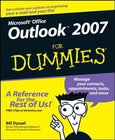
Most users take advantage of only two percent of Outlook's power; this book shows them how to harness frequently overlooked tricks and techniques that can significantly boost productivityShows how to manage time and information in the new interface, covering instant searches, the To-Do bar, color categories, and task integration with OneNote, Project, Access, and Windows SharePoint ServicesExplains how to connect across boundaries with access to WSS data, two-way sync and offline access, calendar sharing, smart scheduling, RSS support, electronic business cards, and the improved out-of-office assistantDemonstrates how to stay safe and in control with the improved spam filter, anti-phishing capabilities, e-mail postmark features, e-mail folder organiz...
Microsoft Office Live
For Dummies
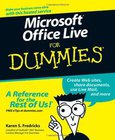
Microsoft Office Live is a service that allows individuals, small businesses, and organizations to create Web sites, share documents, and have a shared storage area on the WebExplains how to create a Web site; share documents, contact lists, project plans, and calendars; send or receive e-mails using Live Mail; and allow customers, employees, and vendors access to data based on specific security restrictionsDiscusses establishing security levels, sharing documents, defining and managing projects, tracking company assets, using the Contact Manager, using marketing campaigns, and working with client workspacesOffice Live services can be used independently but they also integrate well with Microsoft Office programs used regularly by more than 400 millio...
Microsoft Office
For the Older and Wiser
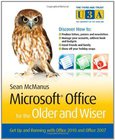
Are you new to Microsoft Office software? Looking for instructions that aren't full of complicated computing terms? Microsoft Office for the Older and Wiser can answer all of your queries with its straightforward advice and easy-to-follow layout on using both Office 2010and Office 2007.Completely jargon-free and aimed at those wishing to extend their computing knowledge, Microsoft Office for the Older and Wiser will have you producing documents in Word, spreadsheets in Excel, slideshows in PowerPoint, and emails in Windows Live Mail in no time.Learn how to:Type and format a letterCreate an address bookProduce personalised invitationsPublish a newsletterForm a basic holiday budgetCreate a photo slideshowKeep a digital recipe bookShare and develop idea...
Office for Mac 2011 Portable Genius
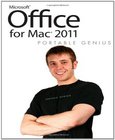
A savvy guide to Office 2011 for Mac usersMac users, you don't have to give up one ounce of cool to use Office 2011 on your Mac. Here's the hip guide you need to get the most out of Word, Excel, PowerPoint, and Outlook. Get started with Office 2011, find out what features are shared between apps, and start creating stylish Word docs, lively PowerPoint presentations, awesome Excel reports, and totally organized Outlook lists and calendars. And you'll love the portable sizejust perfect for keeping this guide on hand while you work.Features facts, tips, and secrets to help you get the most of out of Office 2011 for MacProvides the key tools and shortcuts you need to accomplish tasks, without bogging you down in too much detailCovers how to get started w...
Microsoft Office Excel 2007
Top 100 Simplified Tips & Tricks

You already know Excel 2007. Now you'd like to go beyond with shortcuts, tricks, and tips that let you work smarter and faster. And because you learn more easily when someone shows you how, this is the book for you. Inside, you'll find clear, illustrated instructions for 100 tasks that reveal cool secrets, teach timesaving tricks, and explain great tips guaranteedto make you more productive with Excel 2007.* Minimal text and maximum illustrations*Task-oriented, step-by-step approach*Navigational aids connect instructions to illustrations*Self-contained, two-page lessons*Uniform layout makes it easy to read less, learn moreHow easy is it?Look for these symbols marking the difficulty of each task.* Demonstrates a new spin on a common task*Introduces a ...
2007 - 2017 © eBooks-IT.org